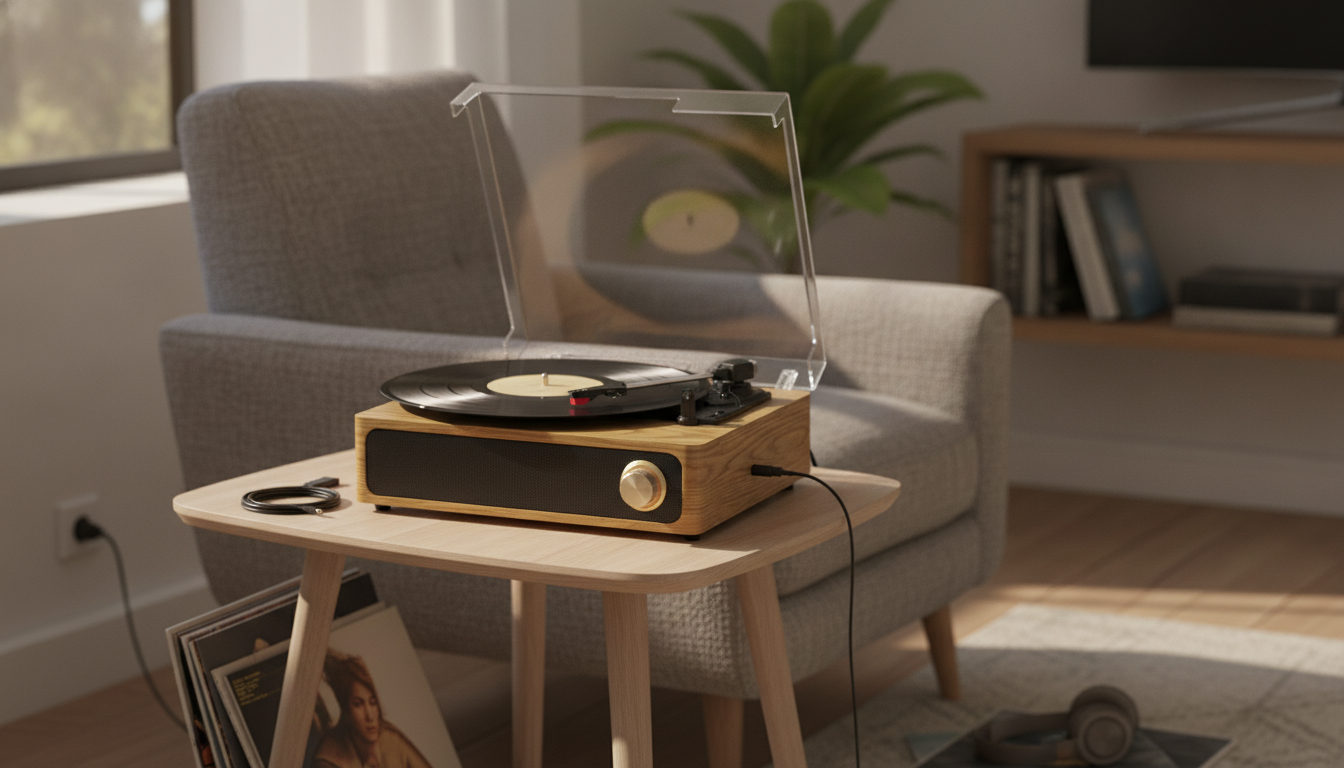
A 3-speed turntable with Bluetooth, built-in speakers, and multiple wired connections makes it easy to enjoy vinyl in a small space—then expand to bigger sound later. Whether you’re spinning an LP after work, playing a stack of 45s on the weekend, or experimenting with older 78s, the right connection (Bluetooth, AUX, USB, or RCA) can make listening smoother and more satisfying.
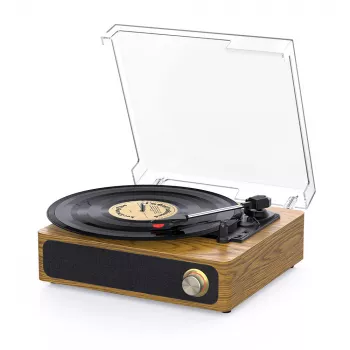
If you’re ready to start with a simple all-in-one setup, the 3-Speed Bluetooth Record Player with Built-in Speakers, AUX, USB, and RCA Output is designed to work right out of the box—while still giving you room to upgrade later.
Quick look: what this turntable is designed to do
- Play records at three common speeds (33⅓, 45, and 78 RPM) so you can switch between formats without extra gear.
- Use built-in speakers for a straightforward, plug-and-play setup.
- Stream music over Bluetooth when you’re not spinning records, turning it into a compact everyday speaker.
- Connect through AUX, USB, or RCA to fit your space—phones, computers, headphone amps, or external speakers.
- Fit naturally into apartments, dorms, offices, and casual listening rooms where simplicity matters.
Speeds and record formats: choosing 33, 45, or 78
Speed selection is the fastest way to go from “something sounds off” to “that’s exactly right.” Most modern vinyl listening revolves around 33⅓ RPM and 45 RPM, while 78 RPM is mainly for older shellac records. If the pitch sounds too high or the music drags, check the speed selector before troubleshooting anything else.
| Speed |
Common format |
Typical use |
| 33⅓ RPM |
LP (12-inch) |
Albums, full-length listening |
| 45 RPM |
Single/EP (7-inch) |
Singles, short releases |
| 78 RPM |
Shellac (often 10-inch) |
Vintage records (check label) |
- 33⅓ RPM: The default for most full-length albums.
- 45 RPM: Common for singles and some special pressings.
- 78 RPM: Only use if the record is clearly labeled 78; these discs can be more brittle, so handle carefully by the edge and label.
Bluetooth vs. wired: which connection sounds best for each situation
Think of Bluetooth and wired connections as different tools for different moments. Bluetooth prioritizes convenience. Wired connections prioritize stability and a more predictable signal path—especially if you plan to connect to larger speakers.
- Bluetooth: Great for casual listening and keeping your phone across the room. Sound quality depends on the source device and Bluetooth implementation. For technical details, the Bluetooth Core Specification explains how the standard works.
- AUX (wired input): A simple, reliable option to play audio from a phone, tablet, or media player with a cable—ideal when you want zero wireless dropouts.
- RCA output: The best route for upgrading sound. Connect to powered speakers, a stereo receiver, or an external amplifier to get more volume, fuller bass, and a wider soundstage.
- USB: Often used with a computer for playback and/or digitizing vinyl (exact behavior varies by model and software).
If Bluetooth ever stutters or cuts out, shorten the distance, reduce obstacles (walls, metal shelves), and limit interference from other wireless devices nearby.
Built-in speakers: what to expect and how to get clearer sound
Built-in speakers are about immediacy: set the turntable down, plug it in, and play. They’re especially useful for near-field listening at a desk, background music while cooking, or a small bedroom setup. For bigger rooms or higher volume, switching to RCA-out and external speakers is the cleanest upgrade.
- Use a stable surface: A solid table reduces vibration, which helps clarity and lowers the chance of skips.
- Mind placement: Keep the turntable away from bass-heavy speakers or subwoofers to reduce feedback and “boomy” resonance.
- Start at moderate volume: Small speakers can distort if pushed too hard. If you need more volume, external speakers will usually sound cleaner.
- Keep records clean: Dust in the grooves is a major cause of crackle and dull highs.
Setup checklist: from unboxing to first play
A smooth first play comes down to a few small steps: a level surface, the correct speed, and careful handling of the stylus and record.
Fast troubleshooting guide
| Issue |
Likely cause |
Quick fix |
| Music sounds too fast/slow |
Wrong speed selected |
Match speed to record label (33/45/78) |
| Skipping or jumping |
Vibration or unstable surface |
Move to sturdier surface; avoid foot traffic |
| Bluetooth stutters |
Interference or distance |
Move closer; reduce obstacles; re-pair |
| Low volume on external speakers |
Wrong input/volume on speakers |
Select correct input; raise speaker volume |
Using USB: archiving and everyday computer playback
Care and maintenance for smoother playback
Small habits make a big difference in sound and longevity. For broader handling guidelines, the Library of Congress recommendations on care, handling, and storage of audio discs are a solid reference.
Who this turntable fits best
In-stock picks
FAQ
Can external speakers be used instead of the built-in speakers?
Yes. Use the RCA output to connect to powered speakers or a receiver/amplifier, and start with low volume before adjusting upward for clean sound.
What should be checked if records play at the wrong pitch?
Confirm the speed selector matches the record label (33⅓, 45, or 78). Also make sure the record is seated flat and centered on the platter.
How can skipping be reduced on a small shelf or desk?
Move the unit to a more stable surface, reduce vibrations, and keep it away from strong bass sources. Cleaning the record and stylus also helps improve tracking.
Recommended for you









Leave a comment